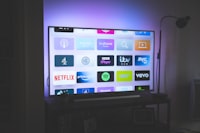
Your guide says the evening news starts at 17:00 — but it actually airs at 19:00. Or every programme shows up five hours early, making the whole TV guide useless. This classic IPTV annoyance is almost always one thing: a timezone mismatch between your EPG source and your player.
The free converter below fixes it permanently: load any XMLTV guide file, shift all programme times by exactly the offset you need, preview the corrected schedule, and download a ready-to-use file. Everything runs locally in your browser — your guide never leaves your device.
Why EPG Times End Up Wrong
XMLTV files store programme times like this:
<programme start="20260824200000 +0000" stop="20260824210000 +0000">
  <title>Evening News</title>
</programme>
That +0000 suffix means the time is UTC (London winter time, essentially). Whether it displays correctly depends on your player honoring that suffix:
| Situation | What You See | Fix |
|---|---|---|
| Player reads the offset properly | Correct local times | Nothing needed |
| Guide has no offset suffix | UTC shown as-is | Shift times by your UTC difference |
| Provider baked local times but labeled them UTC | Double-shifted, way off | Negative shift back to real local time |
| You moved abroad / use a VPN region | Offset by the move difference | Shift by the gap |
Players like TiviMate offer a per-playlist tvg-shift setting that does the correction on the fly — but many apps (some Smart TV players, older set-top boxes, Enigma2 images) either lack the option or ignore it. For those, correcting the file itself is the only reliable solution.
The Free EPG Timezone Converter
XMLTV Timezone Converter
Upload or paste your guide — convert and download, all in your browser.
Before → After (first 20 programmes)
| Channel | Programme | Original Start | New Start |
|---|
How to Use It — Step by Step
- Get your guide file. Download it from your provider's EPG URL in a browser. If it ends in
.gz, extract it first — you need the raw.xml. - Load it into the tool above via click, drag & drop, or paste.
- Note the detected offset. The tool reads each programme's timezone suffix and reports what your guide uses.
- Pick a shift — or tap the auto-suggest link, which calculates the exact correction needed to show your local wall-clock time.
- Convert & preview, then download the corrected XML and point your player's EPG setting at the new file (or import it manually).
If your player already applies its own tvg-shift or timezone correction, don't stack both fixes — you'll be wrong twice as far. Apply exactly one correction: either in the player, or in the file.
Hosting the corrected file yourself? Any static web host works — drop the fixed XML on your own storage and set that URL as the EPG source in TiviMate or your favorite app. Refresh it whenever your provider updates their guide.
Frequently Asked Questions
How do I know which shift value I need?
Use the auto-suggest button: it compares your guide's stored times against your device's current clock using a live programme's expected airtime logic. If in doubt, try ±the difference between UTC and your zone (e.g., +5:30 for India, −5 for US East) and check the preview table against a channel you know. Our converter validates against the XMLTV DTD and uses IANA tz database offsets — the same source your OS uses.
Will this break channels that already show correct times?
It shifts every programme uniformly. If part of your guide is right and part is wrong, the source mixes conventions — best handled by asking your provider for a consistent feed rather than patching half of it.
Can I convert a URL directly?
Most EPG hosts block browser requests (CORS), so the reliable path is downloading the file yourself first. Load it here, convert, done — total time under a minute.
Is there a size limit?
Guides up to roughly 50–80 MB process fine on desktop browsers. Phones may struggle past ~20 MB; if so, trim unused channels from the source first.
Conclusion
Wrong guide times make even great IPTV services feel broken. Instead of squinting at a shifted schedule forever, spend sixty seconds converting your EPG once — and every listing lands exactly where it belongs.
Earnest IPTV subscribers get correctly localized EPG out of the box across 18,000+ channels — plus full setup support if anything ever looks off. See our plans and stop fighting your TV guide.